macOS
Apple Silicon .dmg.
Install gcc — Xcode Command Line Tools (Apple Clang exposed as gcc):
xcode-select --installOr install GNU GCC via Homebrew: brew install gcc. Verify with gcc --version.
First launch: right-click → Open.
 multicore_sim
— For Large-Scale Power Electronics Circuit
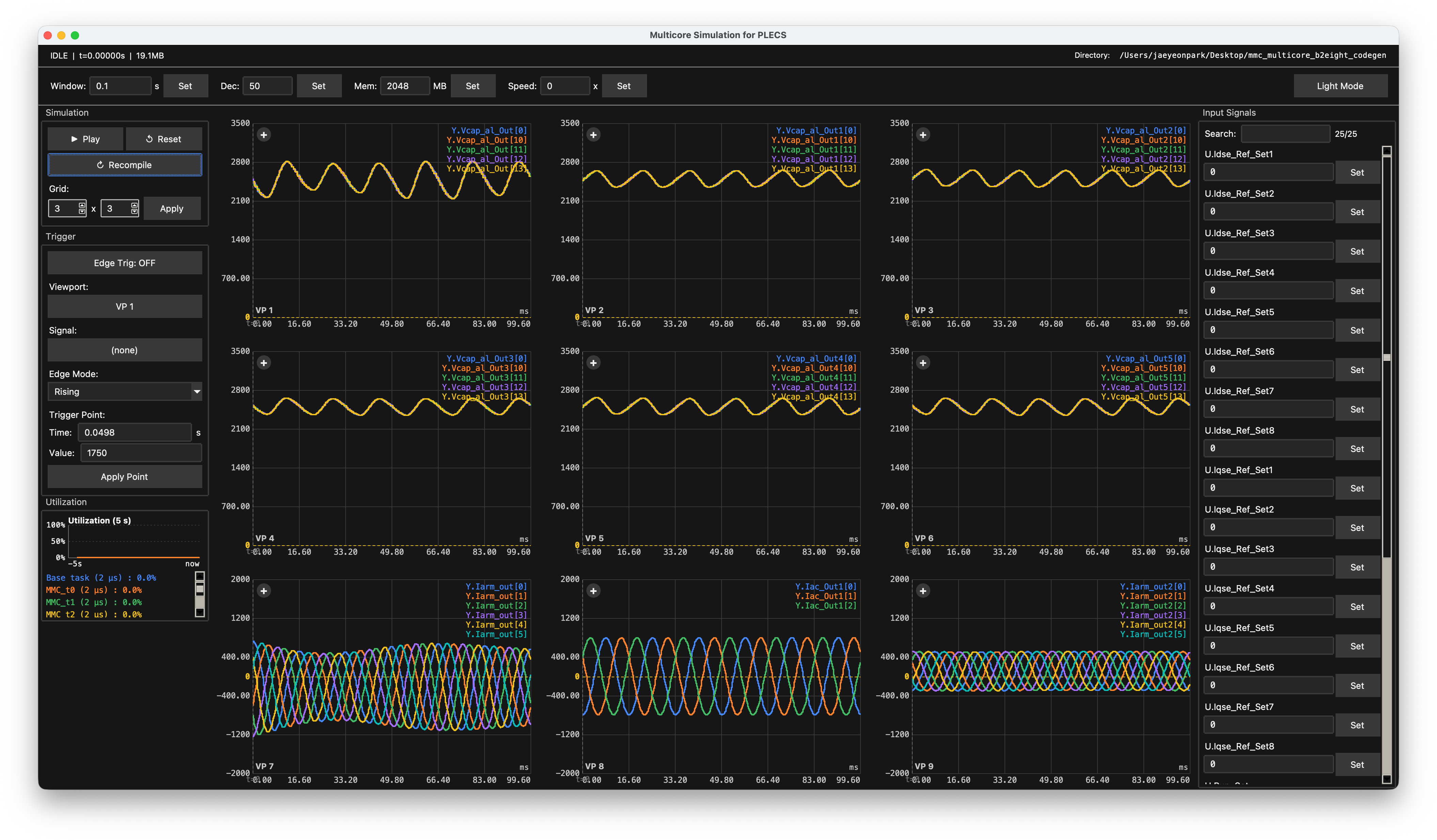
Compile PLECS-generated C at runtime. Distribute the model across CPU cores. Inspect waveforms in a built-in GUI scope — with signal triggers and capture.
Looking to license multicore_sim?
Contact us
— What it does
Open a PLECS codegen directory; the simulator builds runtime library for multicore acceleration.
Spread the model across N worker cores. Per-core utilization is plotted so you can see where the load lands.
Edit inputs (references, setpoints, load steps) and apply them while the simulation is running, without restarting.
Save layout, signals, axis state, memo, preview, and lossless waveform traces in one .simnote archive. Reload anywhere.
— How it works
PLECS code-generates the circuit model into portable C sources (.c / .h).
multicore_sim invokes gcc to build a shared library directly from the codegen directory, cached per machine.
In multicore mode, task instances defined in PLECS are assigned to individual cores and execute in sync with one another.
The GUI samples data and plots them. The display refresh rate is independent of simulation speed.
— Install
Python is bundled into the installer — end users don't need it. The simulator JIT-compiles PLECS-generated C with the host's gcc at runtime.
Apple Silicon .dmg.
Install gcc — Xcode Command Line Tools (Apple Clang exposed as gcc):
xcode-select --installOr install GNU GCC via Homebrew: brew install gcc. Verify with gcc --version.
First launch: right-click → Open.
Windows 10 / 11 installer .exe.
Install gcc — MSYS2 + MinGW-w64. In the MSYS2 MinGW64 shell:
pacman -S mingw-w64-x86_64-gccThen add C:\msys64\mingw64\bin to the system PATH and verify with gcc --version. MSVC (cl.exe) is not supported.
SmartScreen: More info → Run anyway.
— Quick start
multicore_sim.Play button to start.— FAQ
multicore_sim a real-time simulator?No. It is a multicore simulation tool — wall-clock progress depends on the model size and host hardware, and it does not target deterministic real-time execution. The 30–60 fps refresh you see in the GUI is a display rate, independent of simulation speed.
Yes. multicore_sim runs C code produced by PLECS Coder. You must hold valid PLECS and PLECS Coder licenses from Plexim in order to generate that code. multicore_sim does not bundle, grant, or extend any PLECS license — purchasing multicore_sim does not give you a PLECS license, and vice versa.
No. The shipped installers bundle Python via PyInstaller. End users only need a C compiler (gcc) on PATH.
Builds are self-signed, not notarized — the warning is normal. Approve once on first launch and it stops appearing.
No. The build pipeline expects gcc-style flags. Use MinGW-w64 via MSYS2.
The C sources from PLECS Coder are themselves portable, but multicore_sim links them with its own runtime and compiles a shared library (.so / .dylib / .dll) on the host — that build artifact is platform- and machine-specific. So when you move the codegen directory to a different OS, architecture, or even a different host, click Recompile so multicore_sim rebuilds the library against the new machine.
Not yet. We will provide it if requested in the future.
— Purchase & Licensing
multicore_sim is distributed under a commercial license. For purchase, evaluation requests, custom builds, or licensing terms, please reach out by email — we'll get back to you within a few business days.
— Advisor · Professor
Power Conversion Systems Laboratory
Seoul National University
— Developer · Ph.D Student
Power Conversion Systems Laboratory
Seoul National University
— Get started